The Kunki Games Launcher and your DOSE account
We built our own launcher. Here's what it does, how your DOSE account works across the website, the launcher and the game, and what's still coming before DOSE shows up in it.
The last four posts this week were about the game: the island, the coasts, swimming and the settlements. This one is about how you'll actually get the game onto your PC.
We built our own launcher, the Kunki Games Launcher, and it's out now for Windows. It doesn't have DOSE in it yet. The game itself still says "Coming soon". But the launcher, your DOSE account and the download are all live, so this felt like the right time to explain what they're for.
Why we built a launcher
DOSE is an online co-op game with a world that keeps changing. We push updates often, sometimes several in a week, and we wanted three things to be true when that happens.
First, getting a new version should be painless. You shouldn't have to visit a website, download a whole installer again and click through it every time we fix a bug. Second, you should have one account that works everywhere: on the website, in the launcher and in the game. Third, we wanted a place that's ours, where we can show news and what's coming next without it getting lost in someone else's store.
We looked at using an existing launcher or a store for all of this, and some of that is still on the table for later. But none of them let us do everything at once: our own account, our own news, and patches as small as we can make them. Building it ourselves also meant we could make it look like it belongs next to the game, in the same dark colours with the same orange and yellow.
A launcher does all three. It's also a home for whatever Kunki Games makes after DOSE, which is why it carries the studio's name and not the game's.
What's inside
When you open the launcher you land on Home, with a carousel for DOSE and the latest posts from this blog. Next to it is the Library, which lists the games you have installed. The DOSE page has screenshots, system requirements and the game's details, plus the big button that will say Install and then Play once the game is available.
There's also a Downloads page, which shows what's downloading with a progress bar and lets you pause and resume. Settings let you pick the language, choose where games get installed and decide whether the launcher remembers your account. The whole launcher is available in English, Russian, Spanish, Simplified Chinese and Korean, the same five languages as the game and this website.
One account for everything
Your DOSE account is the same account everywhere. You can sign in with an email and password, or with Google or Discord.
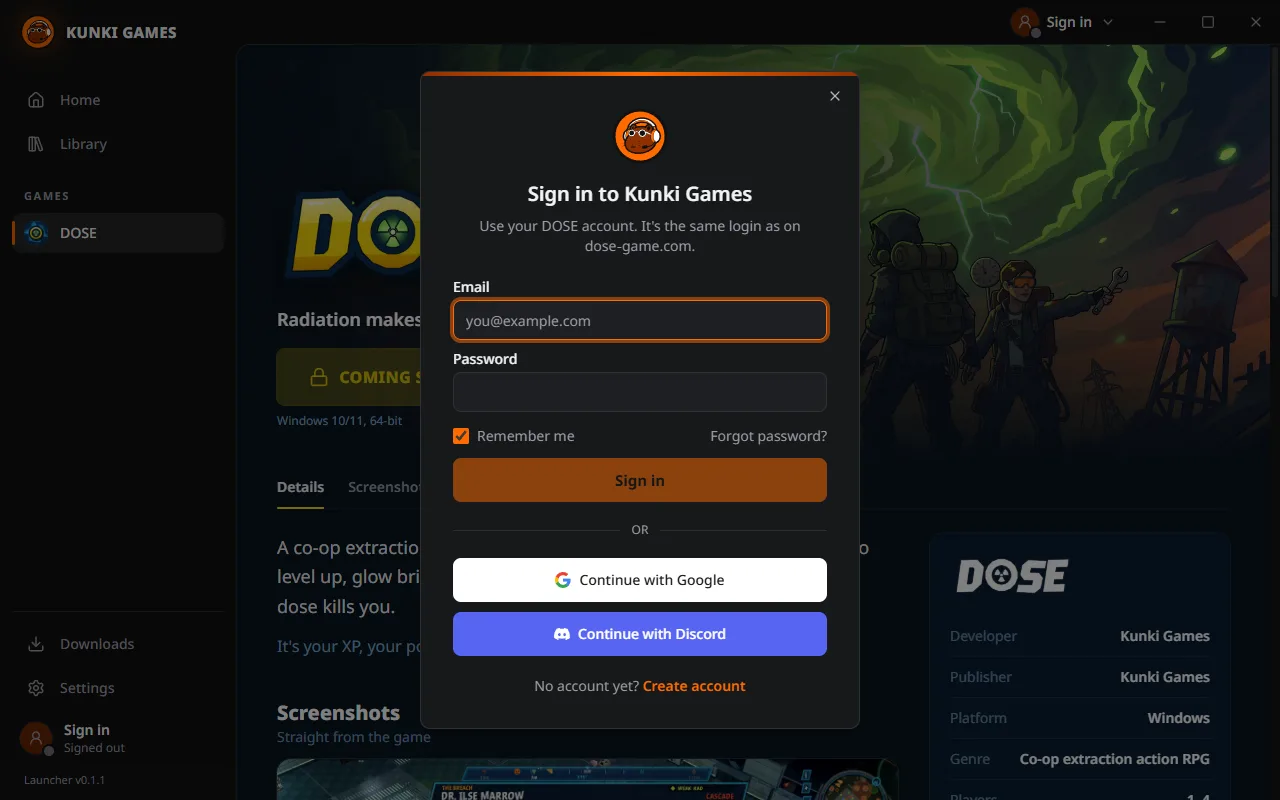
If you don't have an account yet, you can create one right in the launcher. It works exactly like signing up on the website: pick a username, choose a password, and confirm your email. The confirmation link brings you back to dose-game.com, which tells you to head back to the launcher and sign in.
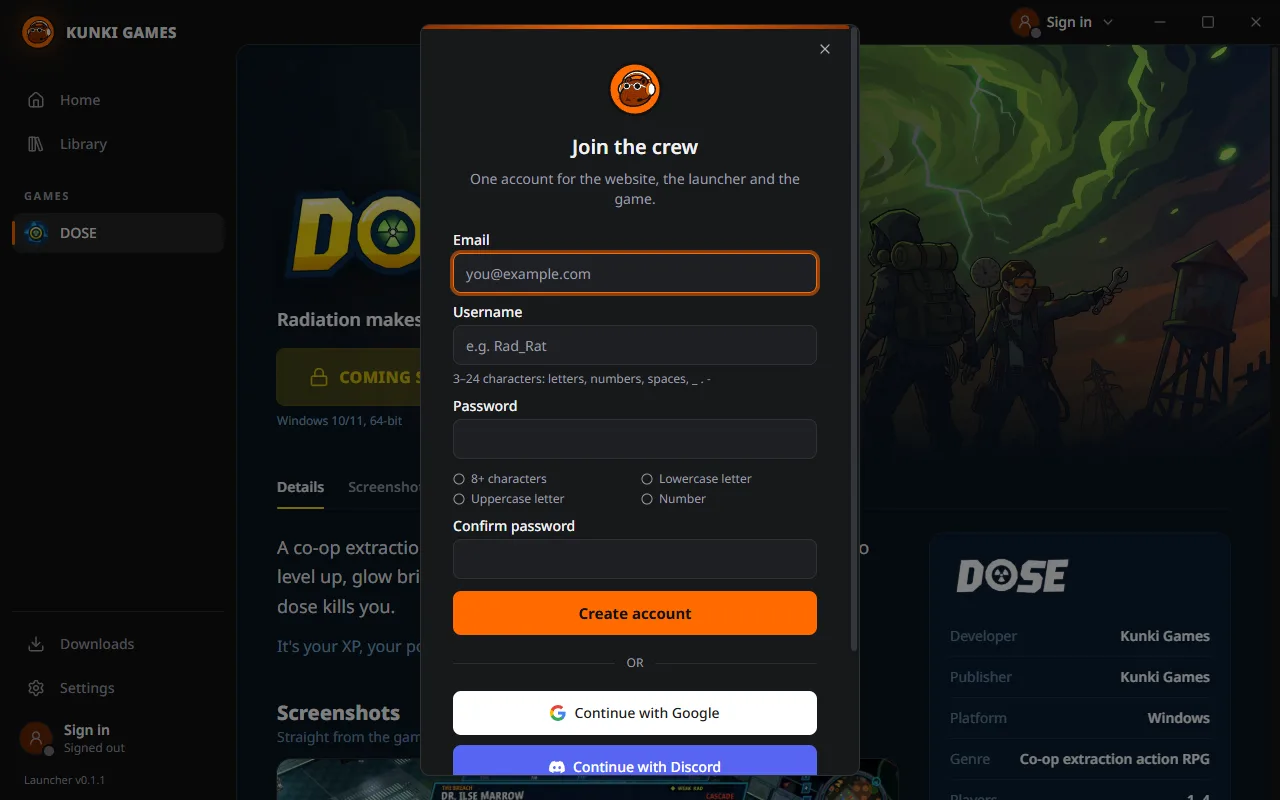
Google and Discord sign-in happens in your normal web browser, not inside the launcher. The launcher opens the sign-in page for you, you approve it there, and the browser hands the launcher a one-time code. That way the launcher never sees your Google or Discord password, and you get the same sign-in screen you already trust.
There's a "Remember me" box on the sign-in window. Leave it ticked and the launcher keeps you signed in on that PC, with your session stored encrypted by Windows. Untick it and you're signed out when you close the launcher. That's useful on a shared machine.
Your account is also what ties you to the rest of the DOSE world. When in-game sign-in arrives, the launcher will hand the game your session, so you go straight from pressing Play to the main menu without typing anything again. The launcher never passes your password along, only a short-lived ticket that says the person pressing Play is you.
On the website you can do the rest: change your username, upload an avatar and crop it, and see your downloads. It's the same account, so a new avatar on the site shows up in the launcher too.
Downloads that only grab what changed
Game downloads are built for a game that updates a lot. Instead of one huge file, the game is split into small pieces. When an update comes out, the launcher only downloads the pieces that actually changed, so a small patch is a small download even when the game itself is big.
Downloads can be paused and resumed, and they pick up where they stopped, even after a restart. Every piece is checked when it arrives, so a bad connection can't leave you with a broken install. If something on your disk gets damaged later, a repair finds the damaged files and fetches just those again, without a full reinstall.
A launcher that updates itself
The launcher keeps itself up to date too. It checks for a new version about 15 seconds after you start it and then every four hours while it's running. If there is one, it downloads it quietly in the background. When it's ready, a "Restart to update" button appears at the bottom of the sidebar, and the new version installs the next time you restart the launcher or close it.
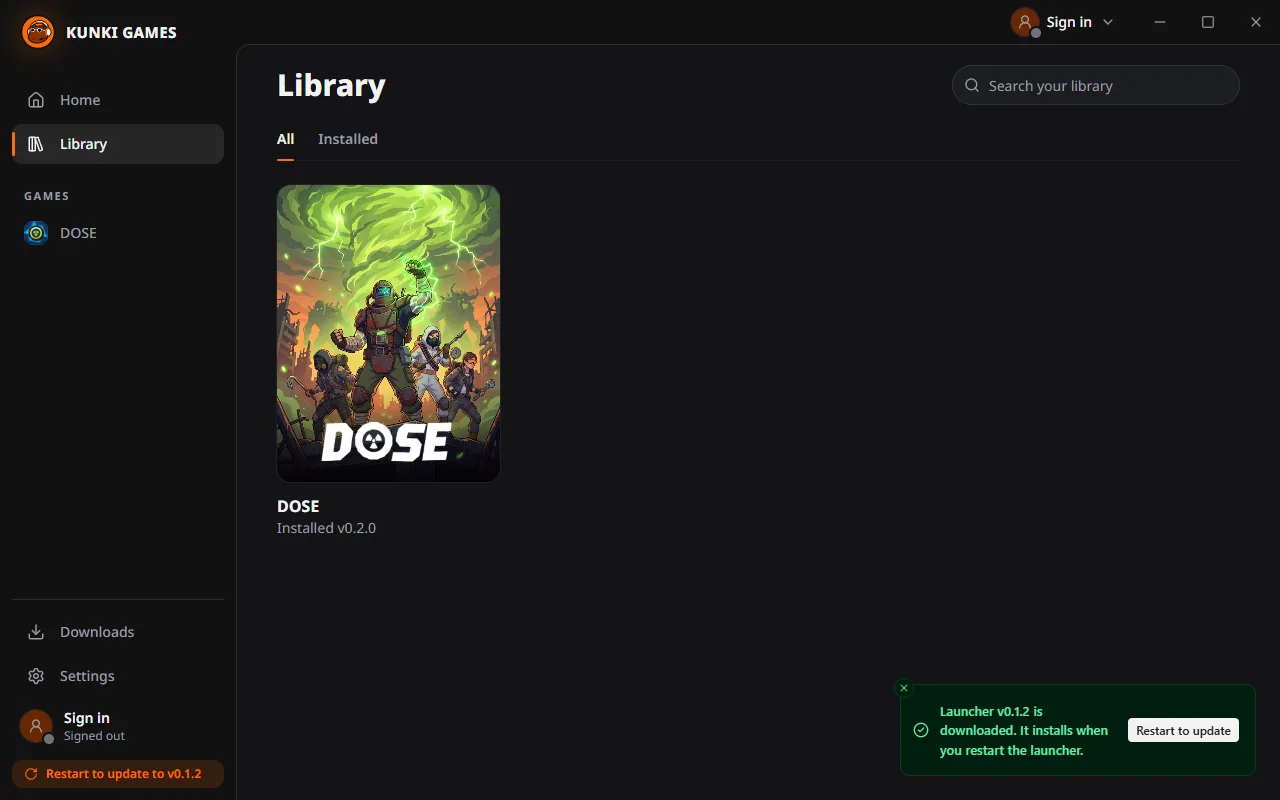
The current launcher version is always shown at the bottom of the sidebar, under your account, so you can see at a glance what you're running.
Questions we've been asked
We've shown the launcher to a few people already, and the same questions keep coming up.
Is it free? Yes. The launcher is free, and so is your DOSE account.
Does it run in the background all the time? No. It runs when you open it. A "Start with Windows" option is in Settings but marked as coming soon, and it'll be off unless you turn it on.
Can I choose where games are installed? Yes. There's a default folder in Settings, and you can pick a different folder for each install.
How do I uninstall it? The same way as any other Windows app, from Settings, then Apps. Uninstalling the launcher doesn't delete your account.
Is there a Mac or Linux version? Not right now. DOSE is a Windows game, so the launcher is Windows only for the time being.
Why do I need an account at all? DOSE is played online with a crew, and things like your stash, your rank on the Boss Board and trades between players need to belong to someone. The account is how the game knows that someone is you.
Getting it, and what's still coming
You can download the launcher from its page on dose-game.com. It's free, it's about 113 MB, and it runs on Windows 10 and 11, 64-bit. Because it's brand new, Windows SmartScreen may not recognise it yet and show a warning. Click "More info" and then "Run anyway". That warning goes away once the launcher is signed with our certificate, which is on the list.
A few things aren't there yet:
- DOSE itself. The game page shows "Coming soon" until the first build is published, and the playtests will come through the launcher first.
- Linking your Steam account. It's planned, and it will matter for playing online.
- Signing in from inside the game. That will use the same account, so you won't need a second login.
If you want to be first in line when DOSE appears in the launcher, sign up for a playtest invite in the box at the bottom of this page. If something in the launcher doesn't work the way you'd expect, tell us on Discord. We read all of it, and this is exactly the stage where feedback changes things.
- #launcher
- #accounts
- #updates
- #windows